
More time with guests. Less time taking orders.
Let guests order when they are ready and call for help with one press. Give your team more room to look after the people at the table.
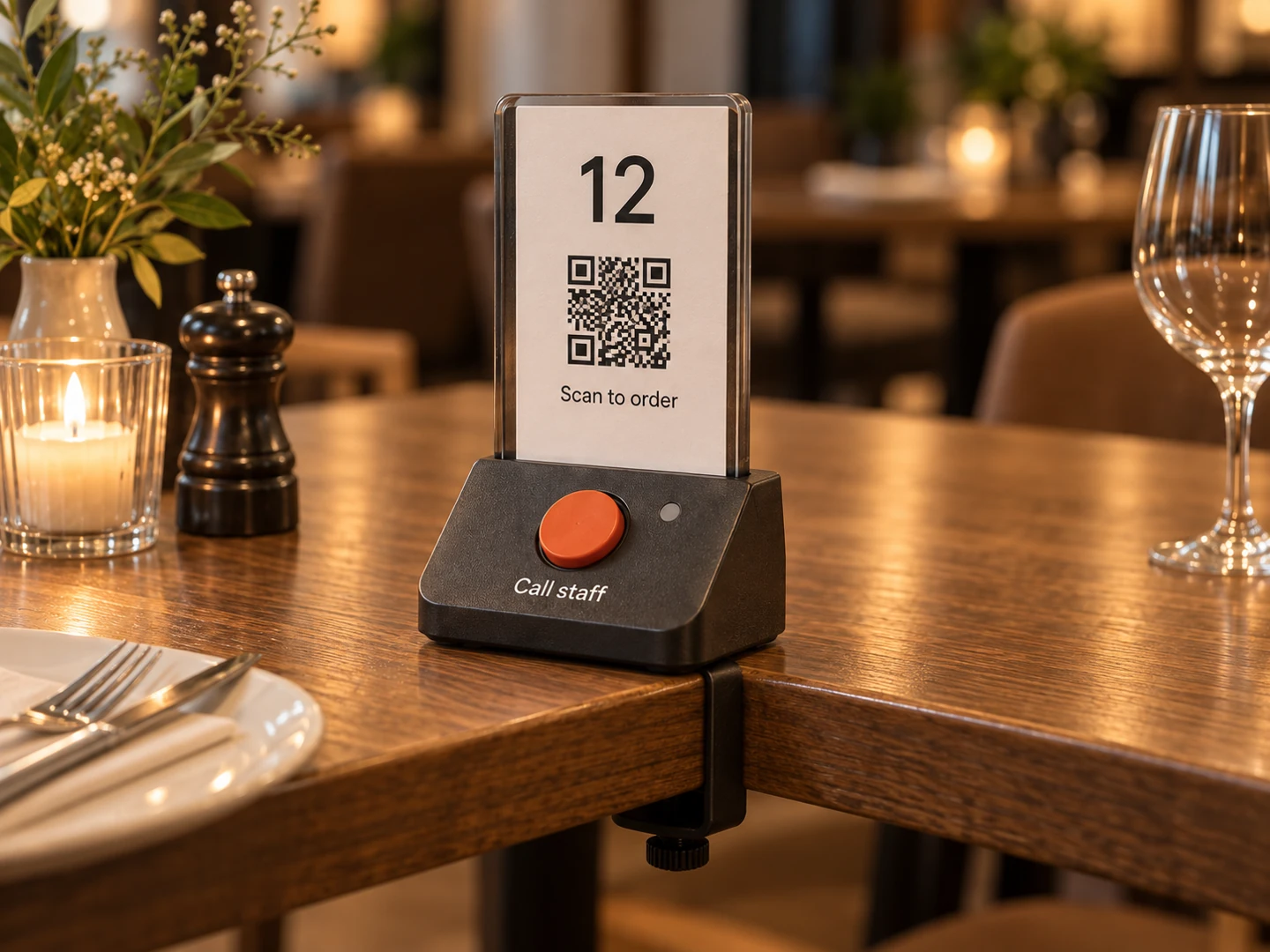
Let guests order when they are ready and call for help with one press. Give your team more room to look after the people at the table.
Guests who choose digital ordering could spend less time waiting to place an order. Your team could spend less time recording routine requests and more time being present where it matters.
A clearly labelled button lets guests ask for personal help. Staff can see which table is waiting, acknowledge the request and respond with a clear sense of priority.
Consistent order details and visible acceptance could reduce uncertainty during busy service. The benefit depends on the route into your restaurant system and how much manual entry remains.
Designed to support your team. These are benefits to measure in a pilot, rather than promised results.
Guests can order from their phone or press a physical button for personal assistance. Ordinary waiter service stays available.
The menu opens in the phone browser. Guests confirm the displayed table number, without installing an app or creating an account for basic ordering.
Guests browse the menu, choose items and options, then review the order before sending it. Menu availability needs to be maintained by the restaurant.
The team receives the request through the chosen order route. Guests see its actual status; submitting an order is separate from the restaurant accepting it.
One clearly labelled physical button requests help from the table. Guests can ask a waiter to take an order, explain the menu or help with anything else.
The button sends its identity to a restaurant receiver. The staff screen identifies the assigned table; the device should show whether the request was delivered.
A waiter acknowledges the call and goes to the table. Repeated presses should keep one clear outstanding request, rather than flood the team with duplicate alerts.
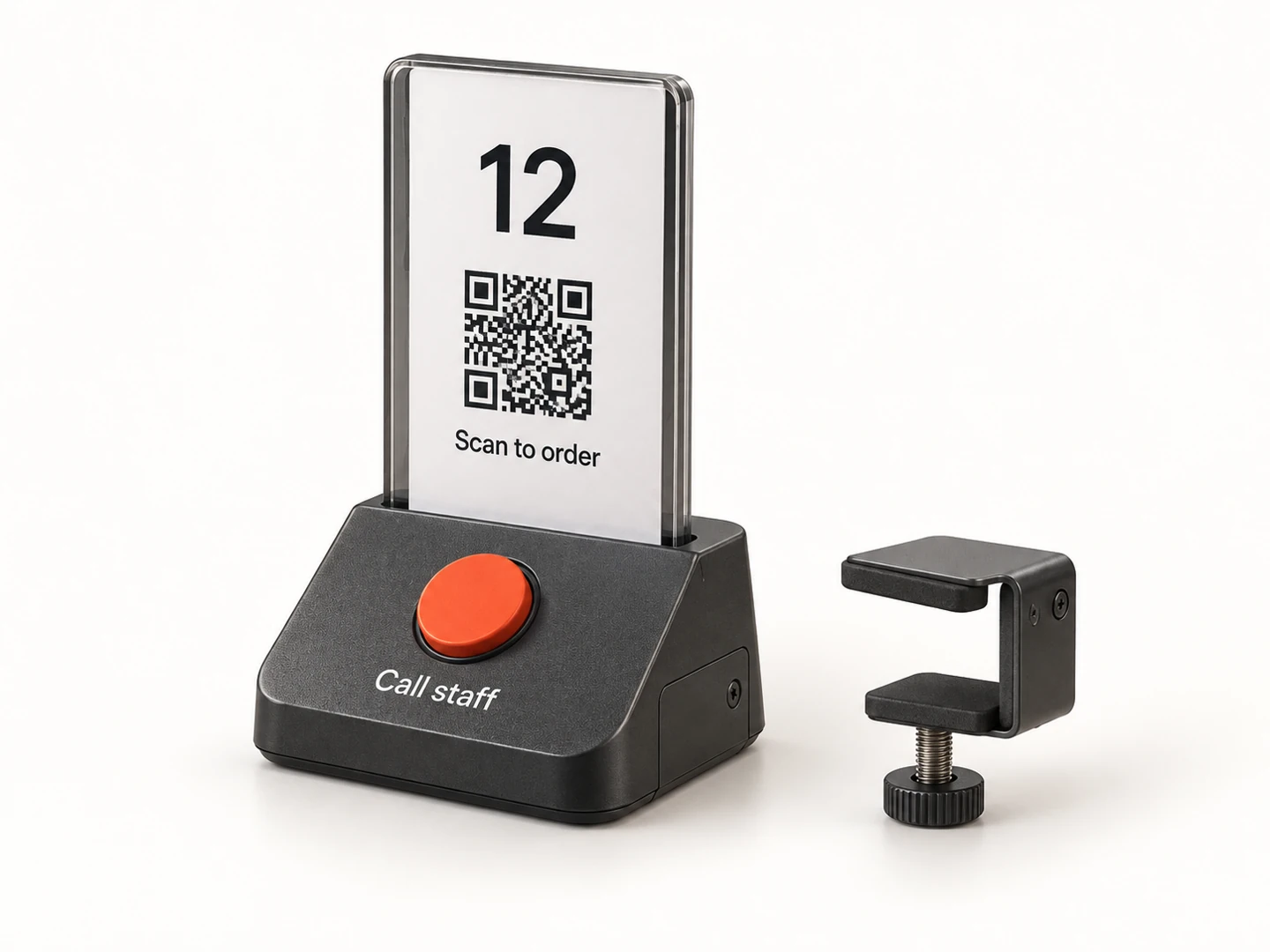
A replaceable QR card and one clear call button, designed around daily restaurant use.
Choose a practical route for accepted orders. A clear handoff helps prevent the same order reaching the kitchen twice.
Where a supported connection exists, send orders into the restaurant system. Item identifiers, options, prices, availability and acceptance behaviour need checking. An API or webhook is useful only when the receiving system supports the required workflow.
Receive orders on a tablet or small monitor, accept them, then enter them into your existing system and mark them as entered. This supports systems without a suitable integration; the re-entry time must be counted when measuring the benefit.
Send accepted orders to a compatible kitchen printer. Sending separate tickets to a kitchen and bar can be scoped if needed. A printed ticket does not confirm preparation: accepted, preparing or ready updates need a staff action on a screen or another supported input.
Use your own service numbers to estimate time released from routine order taking. Include the work that still needs a person.
Enter your own numbers. Nothing you enter here is saved.
Digital handling includes staff review, any manual re-entry and corrections. Include device checks and routine maintenance in upkeep.
Complete all five fields with valid numbers to see an estimate. Enter 0 where no extra handling or upkeep is needed.
Planning estimate, not a measured saving. Include review, manual re-entry, corrections and upkeep. Time released is an opportunity to improve service; it does not automatically reduce paid staff hours.
Orders × digital share × (current handling time − digital handling time) − extra upkeep. Compare the same work in both flows, from recording the order to passing it onward. The result can be zero or require additional staff time.
A limited, supported pilot would test the workflow with your team and guests during representative services. Agree on success measures before starting.
Review the restaurant layout, guest needs, current order process and furniture. Agree on a manageable set of tables, the order route and staff responsibilities.
Test table assignments, wireless coverage, delivery feedback and order acceptance. Keep personal ordering available and make failures visible throughout service.
Compare the pilot with the usual process, including adoption, handling time and staff workload. Use the results to choose the next step before considering a wider rollout.
No. The intended experience keeps personal service available. Guests can use the physical assistance button or speak to a waiter, who can take their order and help with the menu.
That needs checking with your actual system. A supported integration may allow direct order delivery. Otherwise, the staff-screen route allows manual entry. No integration or universal compatibility is promised at this stage.
Failures must be visible and ordinary waiter service must remain available. Guests should never be told an order is accepted when it has not been accepted. Any local operation during an internet outage depends on the chosen design and must be tested; it is not assumed.
The proposed management screen would support menu changes and item availability. We would agree who maintains the menu and whether your current system can provide it. Prices and availability need an authoritative source, and the restaurant still accepts or rejects incoming orders.
Payment is optional and outside the initial ordering-and-assistance scope unless agreed for the pilot. Guests could continue paying through the restaurant’s usual process. Any payment feature would need a separately defined flow.
The basic menu and table-ordering experience should avoid requiring an account or unnecessary personal information. Exact data collection, retention and privacy information would be defined before the pilot. The registry’s own interest form is a separate, non-binding registration.
This is a proposed pilot, not a launched product. Venue suitability, hardware quantities, supported connections, responsibilities and pricing still need to be agreed. Expressing interest does not reserve equipment, place an order or commit you to a purchase.
A proposed table-ordering and staff-assistance system for restaurants. The scope brings together a replaceable printed QR card, a physical call button, a phone-friendly menu and a staff order screen. The restaurant chooses a supported system connection, manual entry or kitchen ticket printing. Hardware, coverage, operating responsibilities and integrations would be agreed and tested in a venue before a wider rollout.
Share your setup and help shape the first pilot. Registering interest is non-binding.
Ask a question, explore a pilot or tell us what would help. Expressing interest creates no order or payment obligation.
These links open your email or messaging app. Nothing is sent until you choose to send it.
The online form is not open yet. Use a contact link to ask about this project.
See what a pilot would involve